
Releasing music is an exciting milestone for every independent artist, singer, producer, and record label. But managing music releases involves much more than uploading a song. You need to prepare audio files, check metadata, organize artist information, plan release dates, and keep track of distribution updates.
When you are working on multiple songs at the same time, these tasks can become confusing. A missing credit, incorrect song title, or forgotten release date can create unnecessary delays.
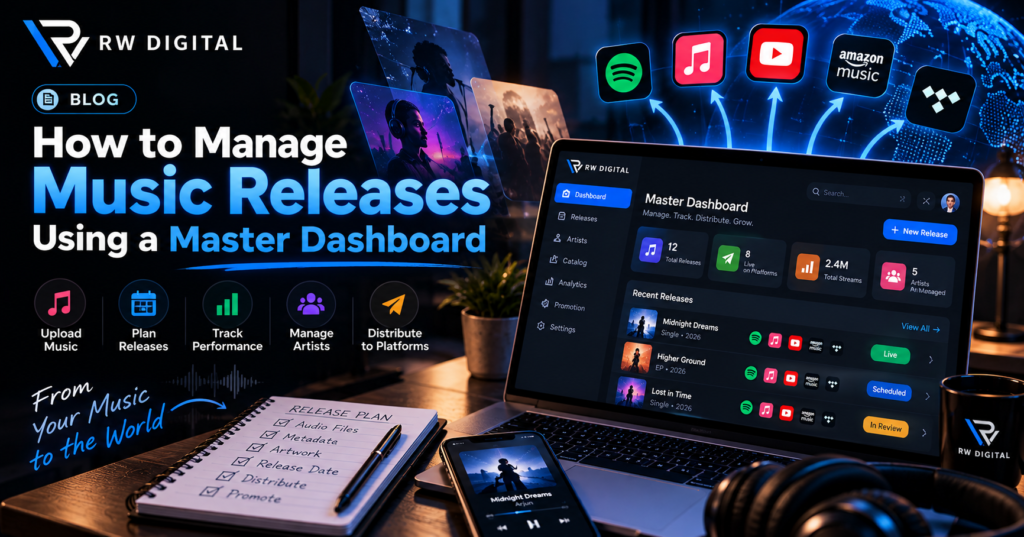
This is where a Master Dashboard becomes useful. It provides a centralized way to organize music release information and manage important details from one place, depending on the features offered by your music distribution platform.
Whether you are an independent artist preparing your first single or a record label managing several musicians, understanding how to manage music releases efficiently can help you build a more organized music business.
In this guide, we will explore how a Master Dashboard can support music release management, what information you should prepare, which mistakes to avoid, and how to create a smoother music distribution workflow.
What Is a Master Dashboard in Music Distribution?
A Master Dashboard is a centralized interface that helps users access and organize important information related to music distribution. Depending on the service, it may provide access to artist profiles, music releases, metadata, distribution updates, analytics, or royalty reports.
Instead of maintaining separate spreadsheets and searching through emails, artists and labels can use an organized workspace to keep track of their release information.
For example, imagine that an independent artist is preparing three singles for release. Each song has a different cover image, release date, audio file, and set of credits. Without a structured process, it is easy to mix up the details.
A suitable music distribution dashboard helps make this information easier to organize and review.
A Master Dashboard can be particularly useful for:
- Independent artists releasing singles, EPs, and albums.
- Record labels coordinating multiple artists.
- Music managers organizing upcoming releases.
- Distribution teams maintaining release information.
- Artists who want a clearer overview of their music catalog.
The exact capabilities depend on the platform and subscription plan. Before relying on any feature, check what your provider actually offers.
Why Is a Master Dashboard Important for Music Release Management?
Every music release has several moving parts. You need the correct audio, artwork, artist credits, release date, and distribution details. If these items are not organized properly, mistakes become more likely.
A Master Dashboard can help you manage this information through a more consistent workflow.
1. Keep All Music Release Information Organized
Every release has its own details, including the song title, artist name, release type, artwork, audio file, and planned launch date.
Keeping these details together makes it easier to find the right information when you need it.
For example, if you are preparing five singles for different artists, each release should have a separate record. This reduces the risk of attaching the wrong artwork or entering the wrong artist details.
2. Manage Multiple Music Releases More Efficiently
Artists and labels often work on several releases simultaneously. One song may need final artwork, another may be awaiting approval, and a third may already be available on streaming platforms.
A structured music release management process helps you identify what is complete and what still needs attention.
3. Reduce Metadata Errors
Incorrect artist names, missing credits, inconsistent song titles, and inaccurate release dates can cause distribution problems.
Reviewing these details before submission helps reduce avoidable errors and makes your release information more consistent.
4. Improve Release Planning
Planning a release in advance gives you more time to prepare promotional content, coordinate announcements, and communicate with collaborators.
A Master Dashboard can support this process by keeping release information organized. If your platform offers scheduling features, you may also be able to manage planned release dates within the available workflow.
How to Manage Music Releases Using a Master Dashboard
The best approach is to treat each release as a series of manageable steps rather than simply uploading a song and waiting for it to appear online.
Step 1: Create a Complete Record for Every Release
Start by collecting the essential information for every upcoming song or album.
Your release record should include:
- Song or album title.
- Primary artist and featured artists.
- Release type, such as a single, EP, or album.
- Planned release date.
- Audio file and cover artwork.
- Songwriter, composer, and producer credits, where applicable.
- Relevant identifiers, such as an ISRC when applicable.
- Distribution status and outstanding tasks.
Keep this information consistent across your records and submitted release details.
For example, if a label is preparing five singles for different artists, each release should have its own record. This prevents the artwork, credits, and release dates from getting mixed up.
A Master Dashboard can make these records easier to manage when its features support this workflow.
Step 2: Organize Your Artist Information
Artist information is an important part of music distribution. Names should be consistent, and featured artists and collaborators should be credited correctly.
Before submitting a release, verify:
- The spelling of every artist’s name.
- Primary and featured artist roles.
- Existing artist profiles, where relevant.
- Songwriter and producer credits.
- Any required label or ownership information.
If you manage multiple artists, maintain a separate, clearly labeled record for each one.
An artist management dashboard or centralized music distribution dashboard can help you keep these details organized, depending on the tools available.
Step 3: Check Audio Files and Cover Artwork
Before uploading a song, make sure the final audio master is ready. Confirm that you have the correct version and that the file meets your distributor’s technical requirements.
Next, review the cover artwork. Check the image dimensions, file format, image quality, and any artwork rules specified by your distribution provider.
A simple pre-release checklist can prevent common problems:
- Is this the final audio version?
- Does the song title match the release information?
- Are the artist names correct?
- Is the artwork final and approved?
- Does the artwork meet the distributor’s requirements?
- Have all required credits been included?
Keep the approved files clearly labeled so that you do not accidentally submit an outdated version.
Step 4: Review Music Metadata Before Submission
Metadata is the information that identifies and describes a music release. It can include the song title, artist names, release date, track number, genre, credits, and identifiers.
Accurate metadata helps distributors and streaming services process and display your release information correctly.
For example, if the same artist’s name is entered differently across releases, it may create confusion when identifying the artist or matching music to the correct profile.
Before submission, review every field carefully. Check spelling, capitalization, featured artist details, explicit-content information where applicable, and other required fields.
Use the metadata requirements provided by your distributor rather than assuming every platform follows identical rules.
Step 5: Plan Your Release Date
A release date affects more than when listeners can hear your song. It also influences your promotional timeline.
Once you choose a date, work backward to plan your activities. You may need time to finalize the artwork, submit the release, prepare social media posts, create short promotional videos, and contact collaborators.
For example, an artist planning a single release can prepare promotional content in advance instead of creating everything on launch day.
A Master Dashboard can help keep release dates and related information organized. If release scheduling is supported, use the available scheduling tools and confirm any submission deadlines with your distributor.
Remember that submitting a release does not automatically guarantee that every streaming platform will publish it on your preferred date.
Step 6: Submit Your Music for Distribution
After checking the audio, artwork, metadata, and credits, follow your distributor’s release submission process.
Select the required distribution platforms, complete the necessary information, and review the details before submitting.
Keep a record of the submission date and any confirmation or reference details provided by the service.
At this stage, avoid making assumptions about approval. A release may need additional review or corrections before it is ready for delivery.
If your Master Dashboard displays release statuses, use them to understand the current stage of the submission. If the status is unclear, contact the distributor’s support team for clarification.
Step 7: Monitor Release Status and Resolve Issues
Once your music has been submitted, keep track of its progress.
Depending on the platform, useful status information may include whether a release has been submitted, is under review, needs corrections, or has been delivered.
If something requires attention, read the notification carefully and make the requested corrections.
For example, if a release is returned because of an artwork issue, correct the image according to the distributor’s requirements and follow its resubmission process.
Checking your release information regularly can help you identify issues earlier. However, a dashboard can only display the status information made available by its provider.
Step 8: Review Performance After Your Music Goes Live
Your work does not end when the song becomes available.
After release, review the performance information provided by your distributor and any relevant artist analytics tools. Depending on the service, this may include streaming activity, platform-level reports, or royalty information.
Use these insights to understand which promotional activities deserve further attention.
For example, if a song receives increased attention after a particular promotional campaign, compare the available reporting periods to understand what changed. Avoid assuming that one campaign caused an increase unless the data supports that conclusion.
A Master Dashboard may help centralize some reporting information, but the availability and timing of analytics vary between providers.
Common Mistakes to Avoid When Managing Music Releases
Even with an organized system, artists can make mistakes that affect their release workflow.
1. Uploading the wrong audio version: Always confirm that you are submitting the final approved master.
2. Entering inconsistent artist names: Check existing artist profiles and use the correct credits.
3. Ignoring metadata: Review all required fields before submission.
4. Choosing a release date too late: Allow enough time for distributor review and platform delivery.
5. Forgetting promotional preparation: Plan your release announcements and content before launch day.
6. Assuming every platform updates simultaneously: Availability and reporting schedules can vary across streaming services.
7. Failing to review release updates: Check available notifications and resolve issues promptly.
A consistent workflow, supported by a Master Dashboard where appropriate, helps you stay organized and avoid unnecessary confusion.
How to Choose the Right Music Distribution Dashboard
Not every music distribution platform provides the same tools. Before choosing a service, consider how well its features match your needs.
Look for the following capabilities where available:
- Release management: A clear way to organize song and album information.
- Artist management: Support for the number of artists you manage.
- Metadata handling: Access to the fields needed for accurate release submissions.
- Release scheduling: Tools for planning dates, if offered.
- Analytics and reporting: Access to available performance and royalty information.
- Support: A clear process for resolving release or account issues.
- Transparent pricing: Understand plan costs, revenue shares, limits, and additional charges.
Independent artists may prioritize simplicity and affordability, while record labels may need tools that support multiple artists and a larger catalog.
RW Digital offers music distribution services for artists and labels. Its pricing page lists plan-specific features, including Master Dashboard access on its Advanced Artist and Premium Label plans. Review the current plan details to determine which features are suitable for your requirements.
How RW Digital Can Help Artists Manage Music Releases
Managing music releases becomes easier when your distribution workflow is clear and your essential information is organized.
RW Digital provides music distribution services designed for artists and labels looking to distribute their music to streaming platforms. Depending on the selected plan and available features, its services can support different stages of the music release process.
Artists exploring RW Digital can review the available services and plan details before deciding which option fits their needs.
Whether you are releasing your first single or managing music for multiple artists, focus on accurate metadata, organized records, realistic release dates, and consistent follow-up.
Explore RW Digital to learn more about its music distribution services and available plans.
Frequently Asked Questions
1. What is a Master Dashboard in music distribution?
A Master Dashboard is a centralized interface for organizing and accessing music distribution information. Depending on the provider, it may include release details, artist information, distribution updates, analytics, or royalty reports.
2. How can I manage music releases using a Master Dashboard?
Start by organizing your release details, checking artist information and metadata, preparing audio and artwork, planning release dates, and tracking submission updates. Use the features available in your chosen dashboard to support these tasks.
3. Can I manage multiple artists through one dashboard?
Some music distribution platforms provide tools for managing multiple artists or releases. Check the provider’s supported artist limits, account structure, and plan features before choosing a service.
4. Why is metadata important for music releases?
Metadata identifies and describes a release, including details such as song titles, artist names, credits, and release dates. Accurate information helps reduce submission errors and supports correct release identification.
5. Can a Master Dashboard guarantee that my song will go live on time?
No. A dashboard can help organize release information and display available status updates, but final delivery and publication depend on the distributor’s process and the receiving platforms.
6. Does RW Digital provide Master Dashboard access?
RW Digital lists Master Dashboard access in its Advanced Artist and Premium Label plans. Features and plan terms may change, so review the official pricing page for current details.
Final Thoughts
Managing music releases successfully requires planning, accurate information, and consistent follow-up. From preparing audio files and reviewing metadata to tracking submissions and analyzing available reports, every step contributes to a smoother release process.
A Master Dashboard can help artists and labels organize these tasks in one place when the required features are available. Combined with a clear release checklist and realistic planning, it can make managing multiple songs more manageable.
If you are looking for music distribution services, explore RW Digital’s available plans and choose the tools that match your release workflow.
Ready to organize your next music release? Visit RW Digital to explore music distribution options for your music journey.
Manage Your Music Releases with RW Digital
Managing multiple music releases becomes easier when your distribution workflow is organized. From preparing song details and checking metadata to planning releases and keeping track of distribution updates, having the right music distribution support can help you stay organized.
At RW Digital, we provide music distribution services for independent artists and record labels looking to release their music online. Whether you are preparing a new single or managing multiple releases, explore our services to find the right support for your music journey.
Why Choose RW Digital for Music Distribution?
- Music Distribution: Explore options for distributing your music to digital streaming platforms.
- Music Release Management: Keep your release information and preparation process organized.
- Music Metadata Management: Understand the importance of accurate song and artist information.
- Artist Promotion: Explore promotional services to support your music releases.
- Master Dashboard: Check our available plans to learn about Master Dashboard access and included features.
Contact RW Digital
Want to explore music distribution services for your next release? Connect with RW Digital to learn more about our services and available plans.
- Address: High School Road, Mandi Adampur, Hisar, Haryana – 125052
- Email: rwdigital02@gmail.com
- Phone: +91 93067 16873
- Website: https://rwdigital.in/
Ready to manage your next music release? Visit RW Digital and explore our Master Dashboard in Music Distribution guide to learn more.